
Network compliance for constantly changing networks
Validate CIS benchmarks, hardening, and internal policies across 180+ vendors.
See what failed, what changed, and what needs fixing.
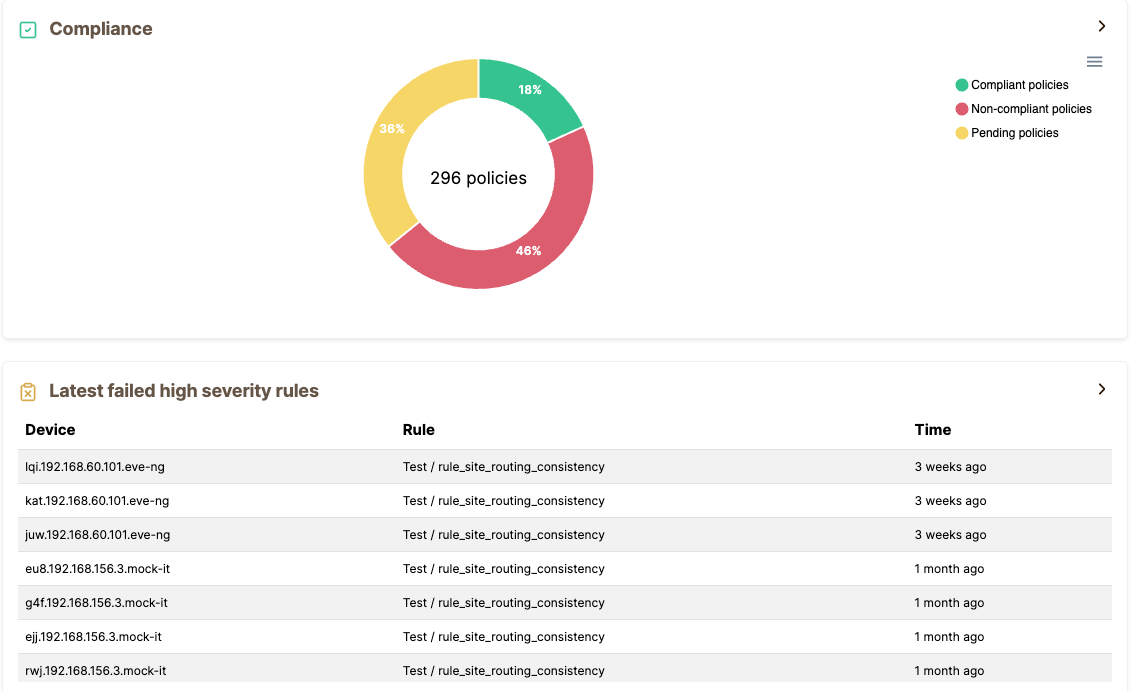
What is network compliance automation?
Network compliance automation is the continuous verification that network devices meet defined security standards, regulatory requirements, and internal policies.
Instead of checking configs manually before an audit, Netpicker runs automated pass/fail tests against real device data, flags violations when they occur, and gives engineers the evidence they need to fix and prove compliance.
Most compliance checks happen too late
A CVE gets published. Weeks later, someone manually checks whether the network is affected.
An auditor asks for evidence. The team exports spreadsheets and starts checking configs manually. Meanwhile, config drift keeps accumulating.
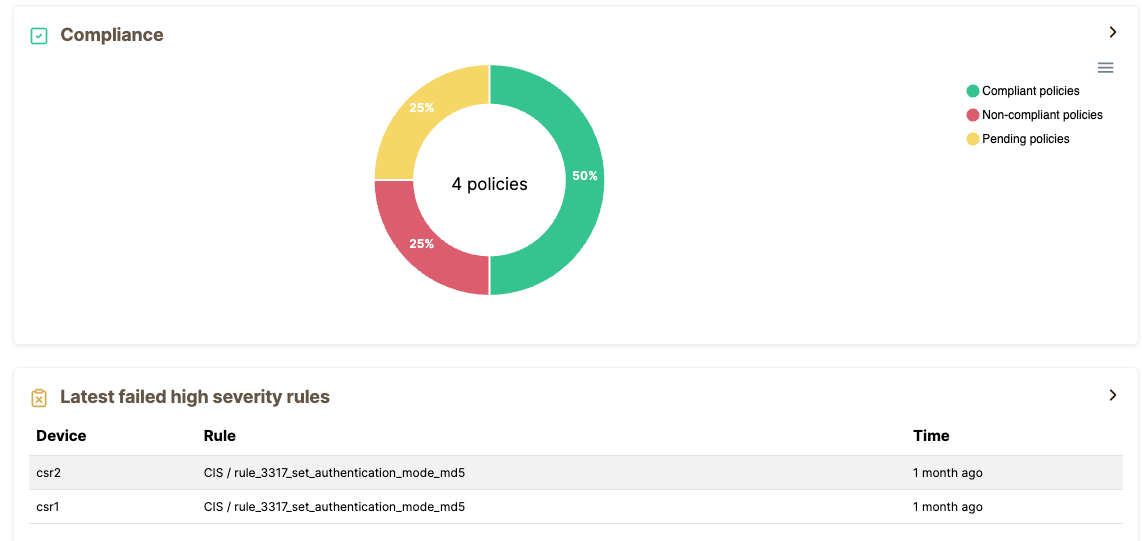
What Netpicker validates
Focus on the checks engineers actually care about: CIS hardening, CVE exposure, and your own internal standards.
CIS hardening
Validate SSH, TLS, AAA, NTP, logging, insecure services, and device hardening rules.
CVE exposure
Identify potential CVEs from OS versions and verify whether the vulnerable feature is actually enabled.
Internal policies
Turn your own standards into repeatable pass/fail tests across all devices.
Config drift
Detect unauthorized changes against baseline, golden config, or previous backup.
Intent vs state
Compare running state against NetBox, Nautobot, Infrahub, Git, or internal source-of-truth data.
Audit evidence
Export results and show exactly which devices passed, failed, and changed over time.
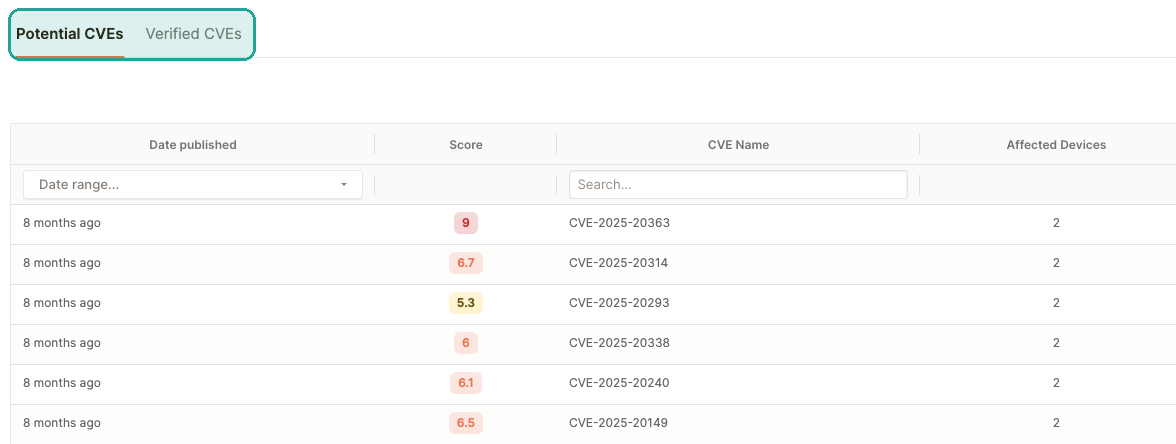
Not every CVE actually affects your network
Version matching creates noise. Netpicker separates potential CVEs from verified exposure.
Potential CVEs match device OS versions against CVE data. Verified CVEs check whether the vulnerable feature is actually configured and whether mitigations are in place.
Write compliance rules your way
Start with simple UI-based checks, describe requirements in plain English, or build advanced validations in Python. Netpicker supports every level of network compliance automation.
Real compliance results from real networks
medium-severity compliance failures found on 800 core devices during a first scan.
potential CVEs reduced to verified findings for a specific device.
Audit evidence becomes a report, not a week-long manual spreadsheet exercise.
Start with CIS, CVEs, and internal policies
Netpicker can also support evidence for NIST, NIS2, DORA, PCI-DSS, HIPAA, ISO 27001, DISA STIGs, and your own internal standards. But the practical starting point is simple: validate the configs that matter most.
| Focus area | What Netpicker validates |
|---|---|
| CIS Benchmarks | Device hardening, insecure protocols, management plane settings, logging, AAA, NTP, and SSH/TLS controls. |
| CVE exposure | Potential CVEs from OS versions and verified CVEs from config-level checks. |
| Internal policies | Any rule your team can describe in plain English, no-code matching, or Python. |
| Audit evidence | Pass/fail status, severity, affected devices, history, and exports. |
Network compliance automation FAQ
What is network compliance automation?
Network compliance automation is the continuous, automated verification that network devices meet defined security standards, regulatory requirements, and internal policies.
What is the difference between network compliance and network monitoring?
Network monitoring detects outages and performance issues. Network compliance automation verifies that configurations meet security standards and policy requirements.
How does CVE scanning work for network devices?
Netpicker uses two tiers: potential CVEs based on OS version matching, and verified CVEs based on whether the vulnerable feature is actually enabled in the configuration.
What compliance frameworks does Netpicker support?
Netpicker focuses on CIS benchmarks, CVE validation, and internal policies, with support for evidence aligned to frameworks such as NIST, NIS2, DORA, PCI-DSS, HIPAA, ISO 27001, and DISA STIGs.
Is network compliance automation free in Netpicker?
No. Compliance automation is the core of Netpicker and is part of the paid product. The free version is a strong starting point for config backup and basic workflows.
Find out what your first compliance scan reveals
Run continuous compliance validation, verify CVE exposure, and fix failed checks with automation workflows.
Test. Validate. Fix.
Everything you need to build a reliable, secure and compliant network.
Config Backup
Automated backups and version control for all devices.
Network Testing
Test configurations, policies and network behavior.
Compliance Automation
Continuously validate against standards and policies.
Security Automation
Find exposure, CVEs and misconfigurations before attackers do.
Network Remediation
Automate fixes with guardrails and verification.
AI Network Automation
AI-assisted workflows for faster analysis and actions.