
Bring configuration backups, CVEs, and automation into NetBox
Everything you need to operationalize your network directly from NetBox.
View configuration backups, inspect CVEs, run automation jobs, and verify configuration changes without leaving your source of truth.
Supports NetBox 4.5. and later

Configuration backups
View and download device configuration backups directly from NetBox.
CVE visibility
View all available CVEs across your network or inspect vulnerabilities per device.
Automation jobs
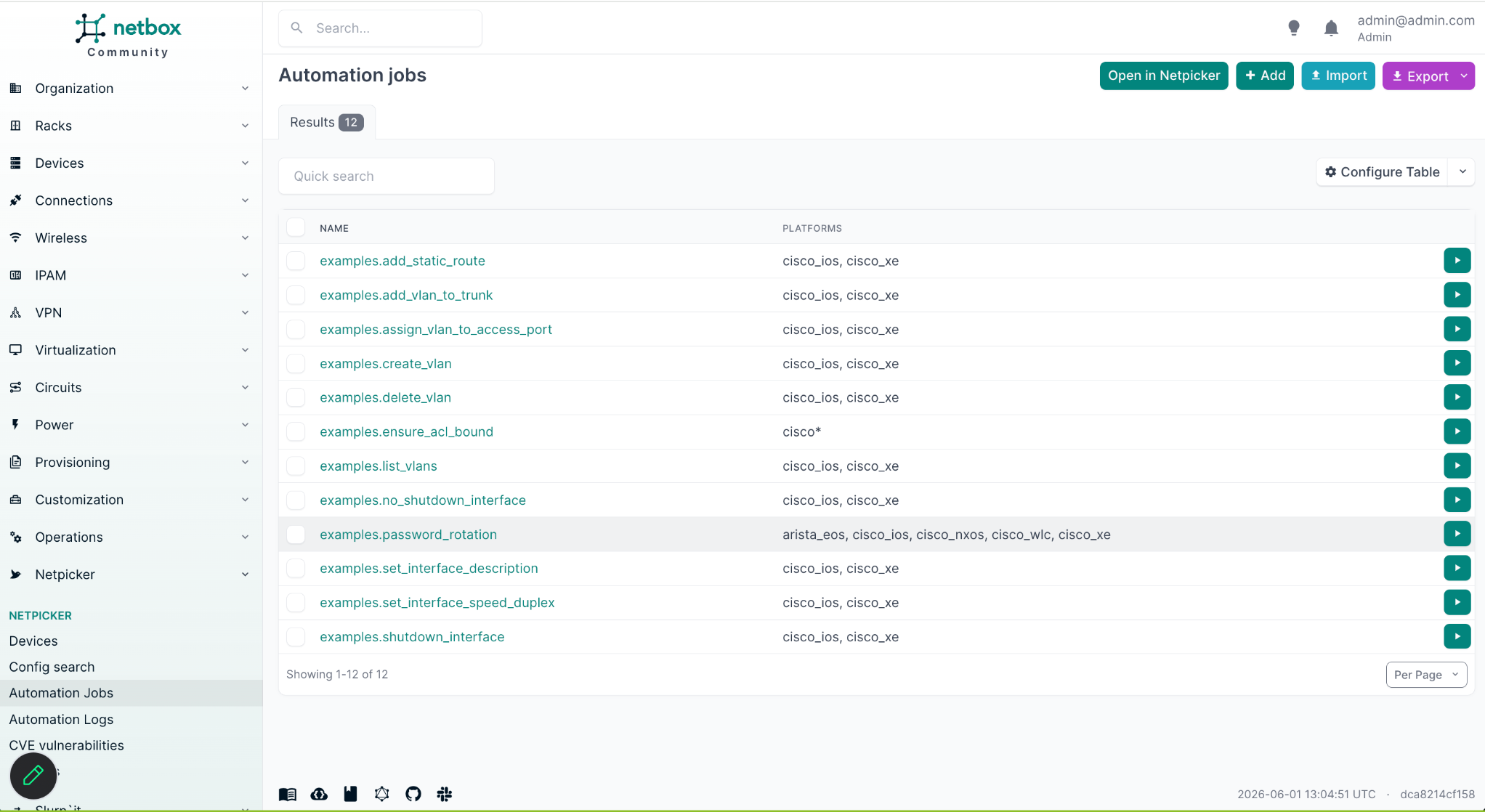
Run automation jobs directly against your network from within NetBox.
Configuration verification
Verify configuration changes and compare historical backups.
Operational actions inside NetBox
The Netpicker plugin adds operational data and actions directly into NetBox device pages, so engineers can work from the inventory they already trust.
NetBox operational workflow
See the NetBox plugin in action
Watch how Netpicker brings config backups, CVE visibility, automation jobs, and configuration verification directly into NetBox.
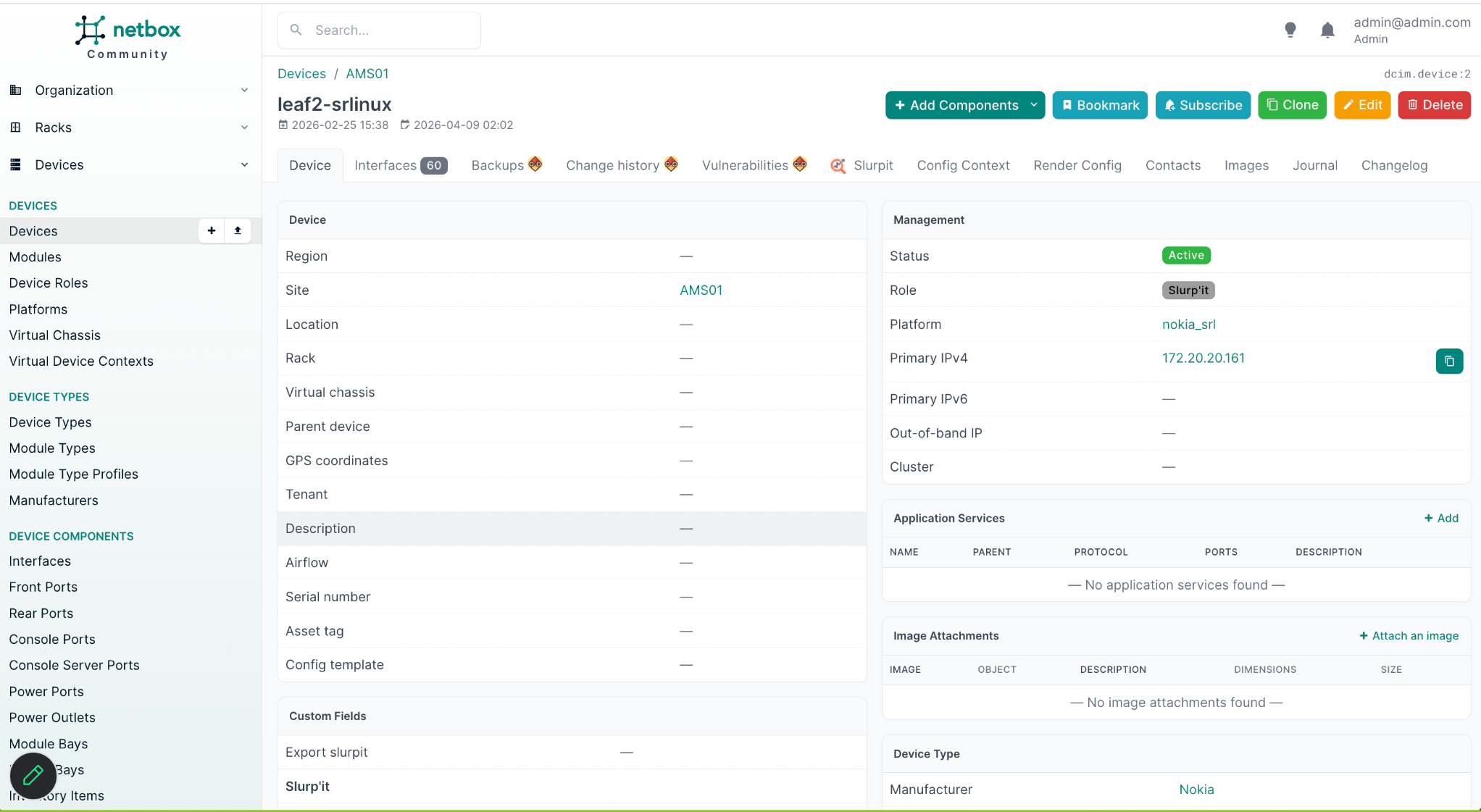
View configuration backups in NetBox
The plugin extends NetBox device pages with direct access to configuration backups and historical versions.
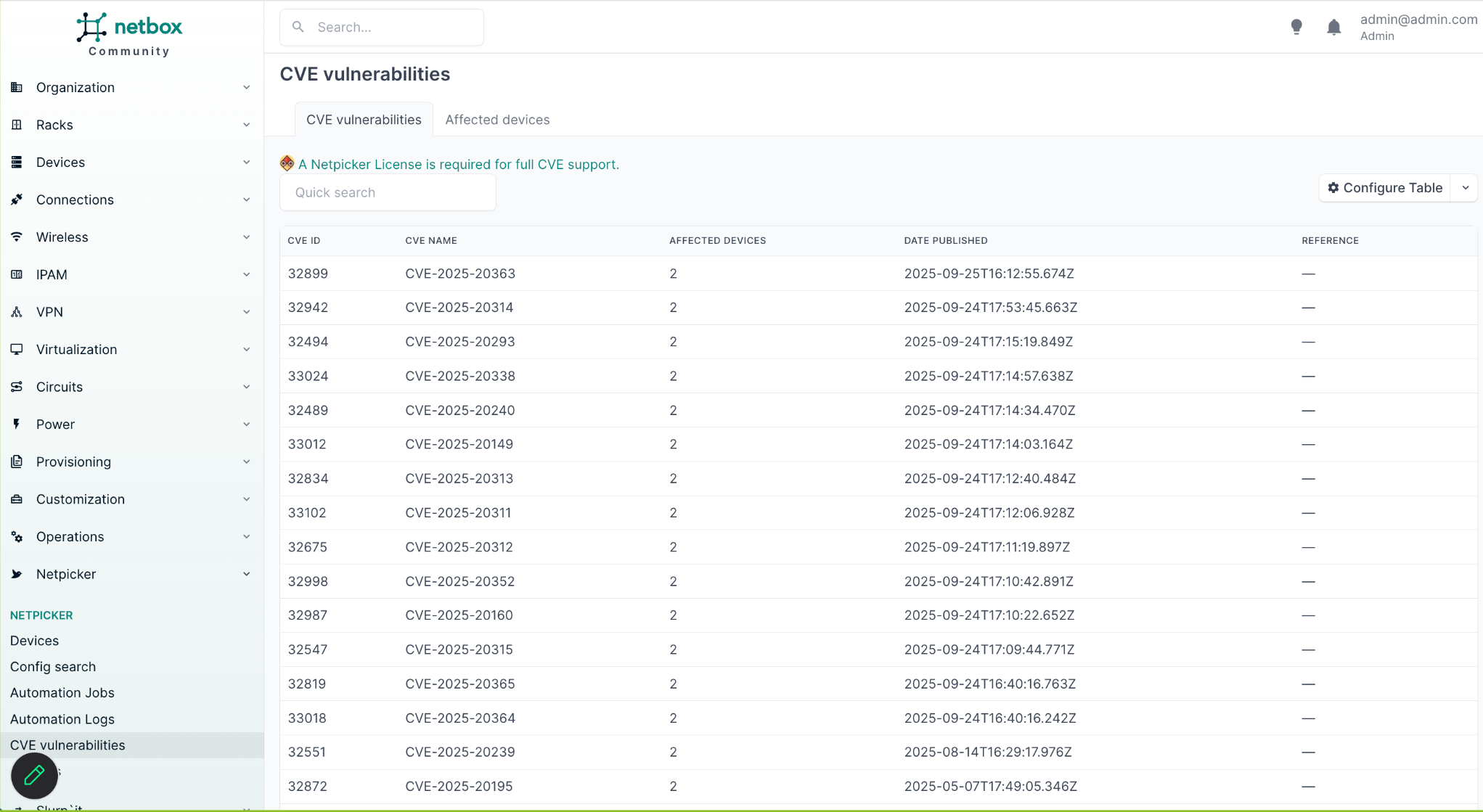
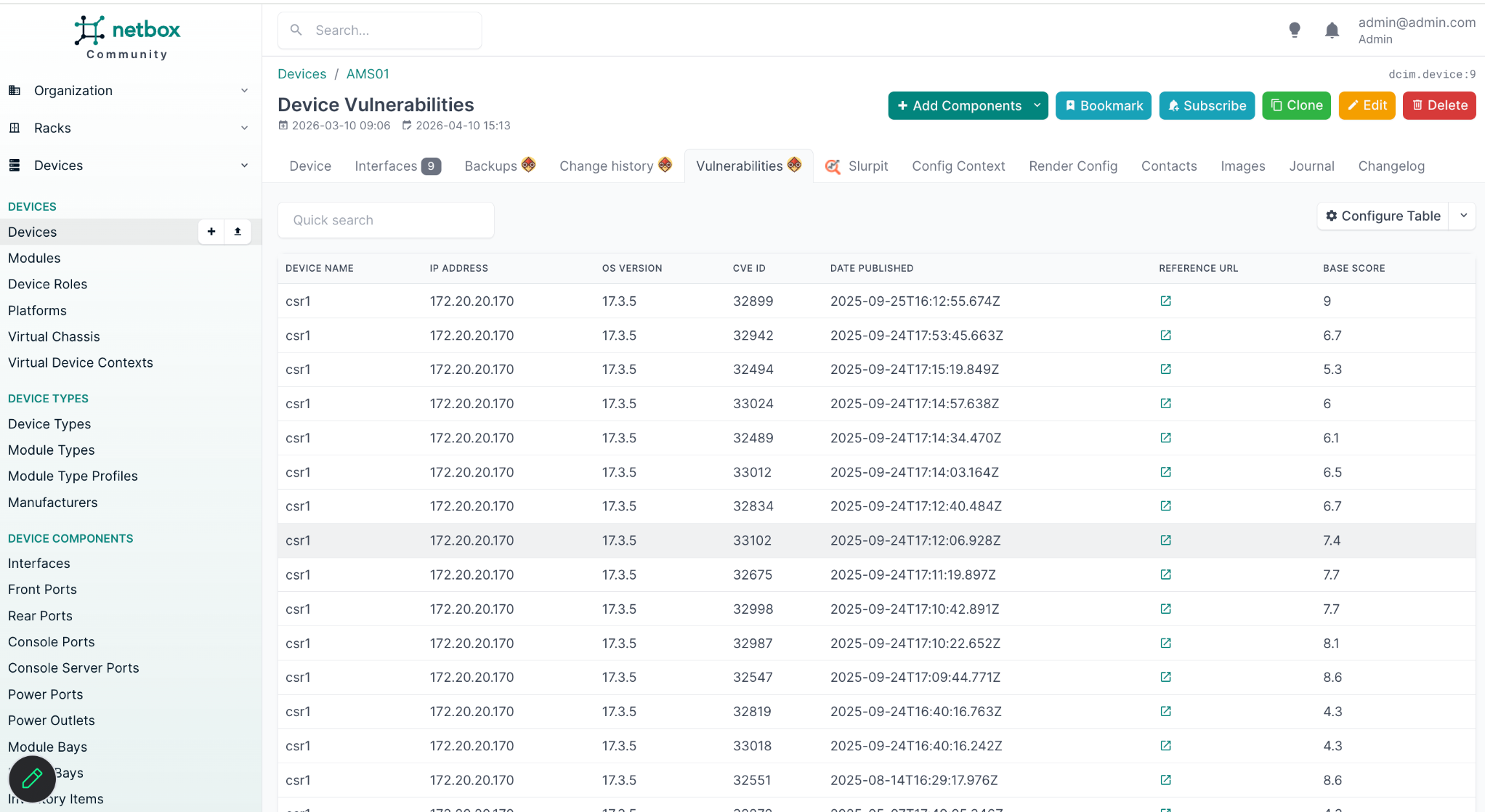
View CVEs per device
Inspect network vulnerabilities directly inside NetBox.
Run automation jobs from NetBox
Execute automation jobs directly against your infrastructure.
Verify configuration changes
Compare historical backups and validate changes after maintenance or automation runs.
Works with your existing NetBox deployment
No separate inventory synchronization required. Netpicker adds operational functionality directly into NetBox.
Supported
Simple installation
Install the plugin, enable it in your NetBox configuration, and restart NetBox.
pip install netpicker-netbox-plugin
NetBox plugin FAQ
Does the plugin support NetBox 4.5?
Yes. The plugin supports NetBox 4.5.
Can I view configuration backups inside NetBox?
Yes. Engineers can view and download device configuration backups directly from NetBox device pages.
Can I run automation jobs from NetBox?
Yes. Automation jobs can be launched directly from the NetBox interface.
Can I inspect CVEs per device?
Yes. The plugin supports both network-wide CVE visibility and per-device vulnerability inspection.
Does the plugin support Docker deployments?
Yes. Docker deployments and virtual environments are supported.
Extend NetBox with operational visibility
Add configuration backups, CVEs, automation jobs, and configuration verification directly into NetBox.