
Continuously verify network security
Validate CVEs, CIS benchmarks, security policies, and pen test findings continuously across 180+ vendors.
Find issues, fix them with controlled remediation workflows, and prove the fix worked.
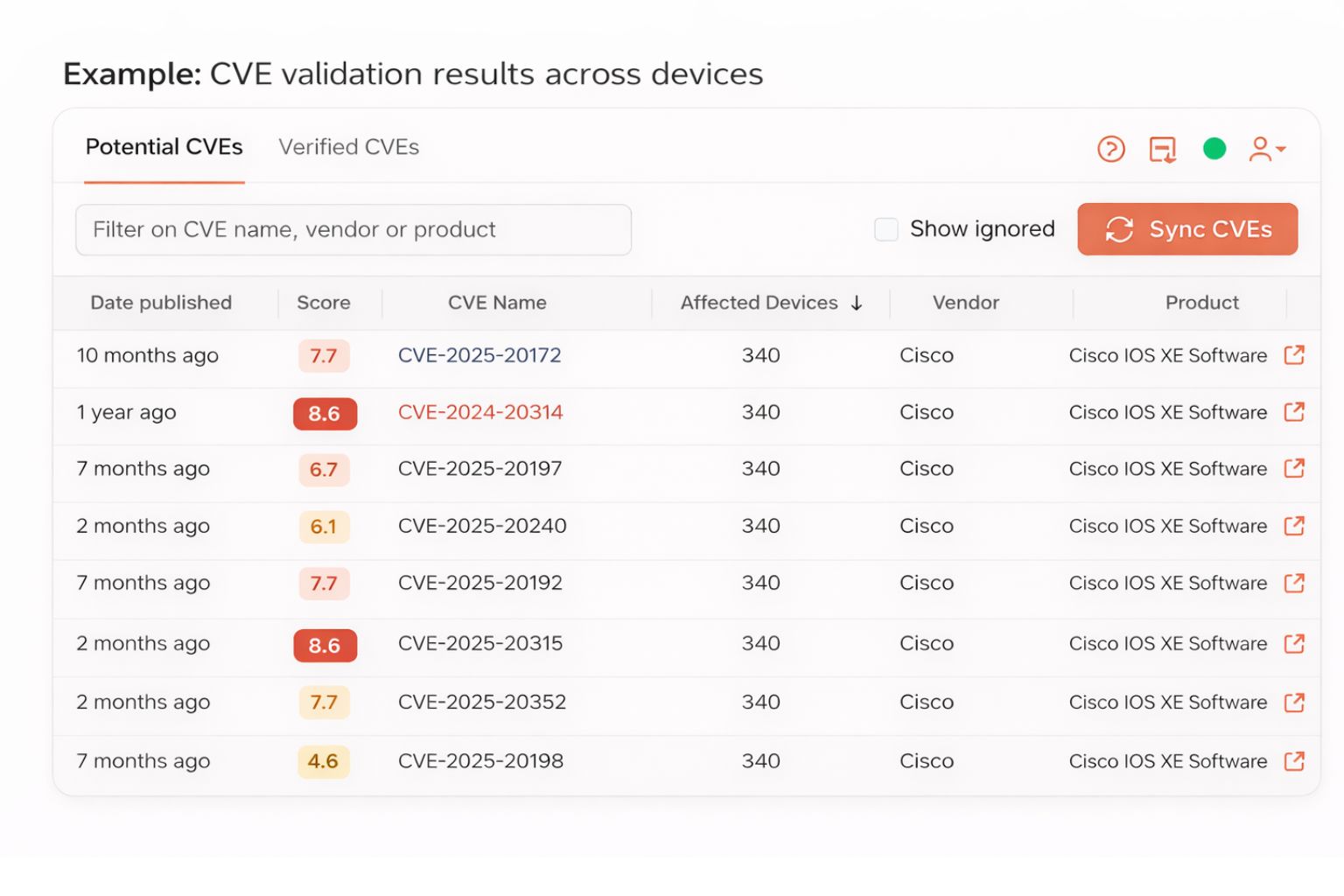
What is network security automation?
Network security automation is the continuous process of finding and fixing security vulnerabilities, misconfigurations, compliance failures, and drift across network infrastructure.
Netpicker automates CVE validation, security configuration checks, compliance testing, pen test remediation, and closed-loop verification without sending network data outside your environment.
Most network security issues are found too late
A CVE is published. A pen test finds FTP still enabled. An audit reveals hundreds of failed checks. Someone exports a spreadsheet and the manual work begins.
The problem is not only finding issues. It is knowing which ones are real, fixing them consistently, and proving they stay fixed.
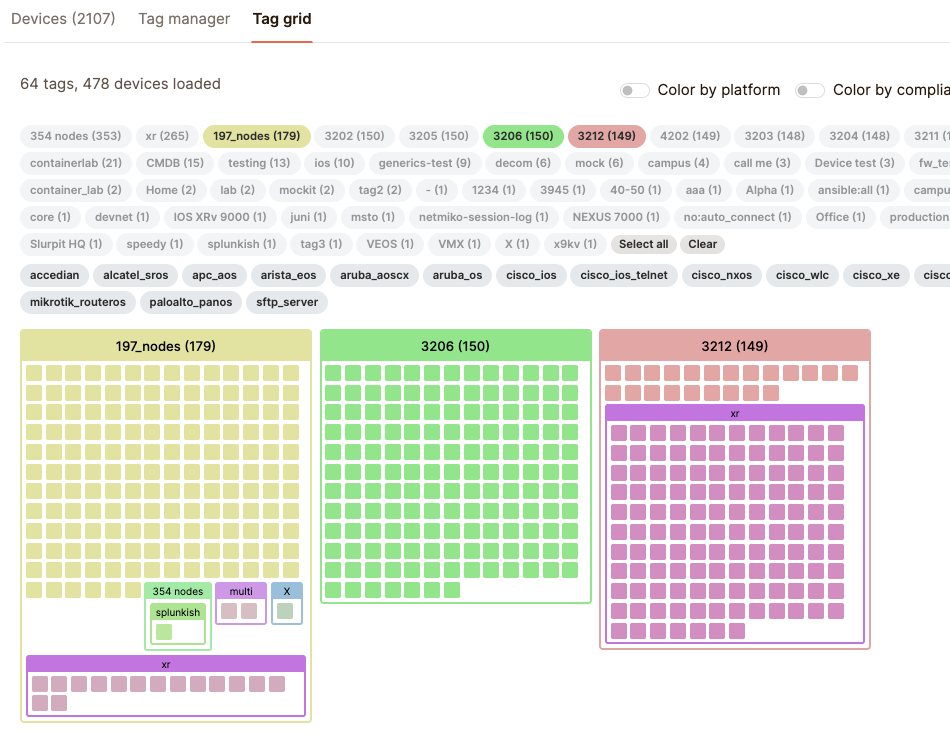
Not every CVE actually affects your network
Version matching alone creates long lists security teams cannot act on.
Potential CVEs identify devices running vulnerable software versions. Verified CVEs check whether the vulnerable feature is actually enabled and whether mitigations are in place.
Potential: OS version matches known vulnerability
Verified: vulnerable feature enabled in config
Fail: exposed and not mitigated
Pass: version affected, feature disabled or mitigated
Replace with screenshot: potential vs verified CVE view, affected devices, evidence, and severity.
What Netpicker checks
Practical security validation against real device configurations.
Insecure protocols
Telnet, FTP, SNMPv1/v2, HTTP management, weak SSH ciphers, SSLv3, and TLS 1.0/1.1.
Authentication security
Default credentials, weak passwords, SSH key size, missing AAA, local accounts, and credential leakage.
Segmentation and ACLs
Management access, missing ACLs, firewall rule drift, and segmentation gaps against source-of-truth intent.
CVE exposure
Vulnerable OS versions, enabled vulnerable features, missing mitigations, and end-of-life software.
Security baseline drift
Unauthorized changes to hardening rules, security templates, or approved configuration baselines.
Audit evidence
Timestamped pass/fail evidence, device scope, severity, history, and exports for security reviews.
Find. Fix. Prove
Security automation is only useful when it closes the loop from finding to verified remediation.
Find
Detect CVEs, failed security checks, policy drift, or pen test findings.
Validate
Confirm whether the issue is real, configured, and actionable.
Fix
Run approved remediation workflows with pre/post backup and diff.
Prove
Re-run the original test and export evidence that the issue is closed.
Turn pen test findings into rules that keep running
A finding should not be fixed once and forgotten.
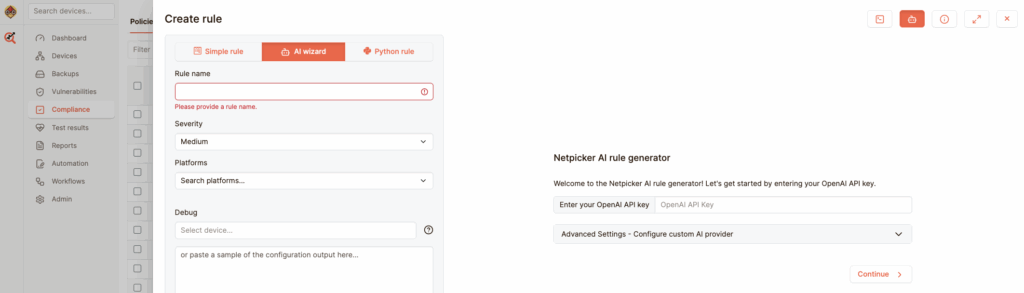
Create a rule from the finding, scan the whole fleet, remediate affected devices, re-test automatically, and export evidence. Keep the rule active so the same issue does not come back next quarter.
Security evidence for regulated environments
Start with CVEs, CIS, and internal security policies. Use the same evidence for NIS2, DORA, PCI-DSS, NIST, ISO 27001, HIPAA, DISA STIGs, and your own standards.
| Focus area | What Netpicker helps prove |
|---|---|
| CIS Benchmarks | Device hardening, insecure protocols, AAA, logging, management plane, and SSH/TLS controls. |
| NIS2 and DORA | Continuous validation, vulnerability evidence, change history, pre/post validation, and remediation audit trails. |
| PCI-DSS / HIPAA / ISO 27001 | Access controls, segmentation validation, configuration evidence, and security baseline checks. |
| Internal policies | Any security standard your team can describe in plain English, no-code matching, or Python. |
Security data stays in your environment
Netpicker is built for sensitive and regulated networks.
Run on-premises or air-gapped. Store configs in your own Git. Use your own AI endpoint or local model. Integrate with your identity provider and approval workflows.
Built for serious network security work
Use cases from regulated and security-sensitive environments, anonymized.
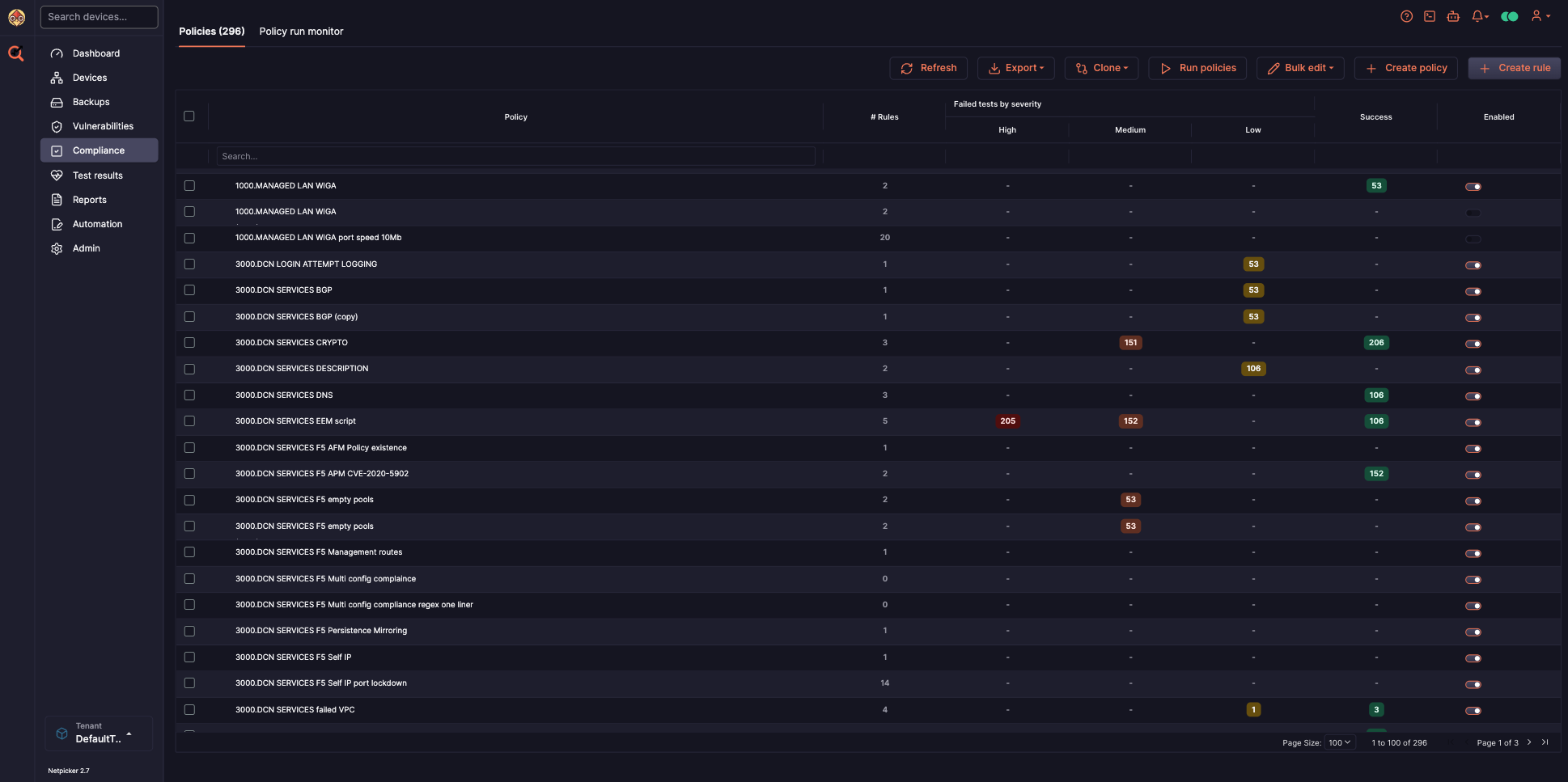
security compliance failures found during a first automated scan of 800 devices.
potential CVEs reduced to verified findings for a single network device.
Deployment model for defense, government, and sensitive infrastructure.
Findings converted into rules, remediation workflows, and proof of closure.
Network security automation FAQ
What is network security automation?
Network security automation is the continuous process of identifying, validating, fixing, and proving the resolution of vulnerabilities, misconfigurations, compliance failures, and drift across network infrastructure.
How does CVE scanning work for network devices?
Netpicker uses two tiers: potential CVEs based on OS version matching, and verified CVEs based on whether the vulnerable feature is actually enabled in the configuration.
What is the difference between potential and verified CVEs?
A potential CVE means the device may be vulnerable because of its software version. A verified CVE means the vulnerable feature is actually enabled and exposure is confirmed.
Can Netpicker be used for pen test remediation?
Yes. Netpicker can turn pen test findings into compliance rules, scan the whole fleet, run remediation jobs, re-test automatically, and export evidence that the finding is closed.
Does Netpicker support NIS2 and DORA?
Yes. Netpicker provides continuous validation, CVE evidence, configuration history, pre/post change validation, and remediation audit trails that support NIS2 and DORA-aligned processes.
Does Netpicker work in air-gapped security environments?
Yes. Netpicker can run fully on-premises or air-gapped, with local Git storage and support for local or customer-controlled AI endpoints.
Find out what your network security posture actually looks like
Validate CVEs, security policies, and pen test findings continuously, then fix and prove the result.
Test. Validate. Fix.
Everything you need to build a reliable, secure and compliant network.
Config Backup
Automated backups and version control for all devices.
Network Testing
Test configurations, policies and network behavior.
Compliance Automation
Continuously validate against standards and policies.
Security Automation
Find exposure, CVEs and misconfigurations before attackers do.
Network Remediation
Automate fixes with guardrails and verification.
AI Network Automation
AI-assisted workflows for faster analysis and actions.