
Free Network Config Backup
Start with free, reliable backups - then use the same config data to test, validate, and fix your network.
- Free version with unlimited config backups
- Git-based history, diffs, and search
- Config drift detection and backup verification
- 180+ vendors supported
A free, modern alternative to RANCID, Oxidized, and scheduled backup tools
Netpicker gives network teams unlimited config backups, Git history, diffs, search, and automation jobs for free.
What network config backup gives you first
Before you can test, validate, or fix a network, you need trustworthy config data.
Configuration backup & restore
Collect device configs automatically, keep every version, and restore previous configurations when changes fail.
- Scheduled or event-triggered backups
- Git-based version control
- Readable diffs and rollback evidence
Config drift detection
Detect when running configs change outside the expected process or approved change window.
- Compare every backup to the previous version
- Flag unauthorized changes
- Keep a full audit trail
Backup verification
Don’t just check that a job ran. Verify that the backup exists, is current, and matches what is running on the device.
- Detect stale or failed backups
- Validate against baseline configs
- Use backup data for testing and compliance
What is network config backup?
Network config backup is the automated process of collecting, storing, and versioning network device configurations.
A network config backup tool connects to devices, retrieves running configurations, stores them with full version history, and detects unauthorized changes by comparing each backup to the previous version. Netpicker supports 180+ vendors through Netmiko and stores configurations in Git with diffs, audit history, and search.
Most network backups are either manual, old, or never verified.
Backups may run on schedules, but many teams still do not know whether the backup worked, whether it matches the running config, or what changed since the previous version.
That is where config drift starts. Not with one big failure, but with years of small manual changes, copy-paste templates, and missing verification.
“Everything is currently manual. We copy-paste configs from Notepad++.”
“Different templates used by different engineers over time. 12-year deployment history.”
“Two thirds of companies don’t even backup network configs.”
Configs, Diffs & Search
Track every config change across your network
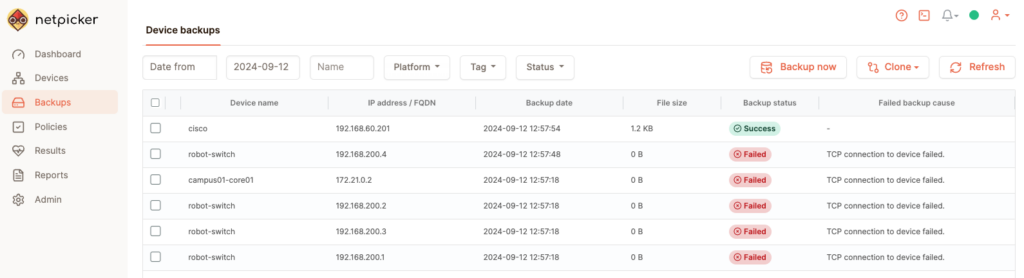
DEVICE BACKUPS
Track Device Backups
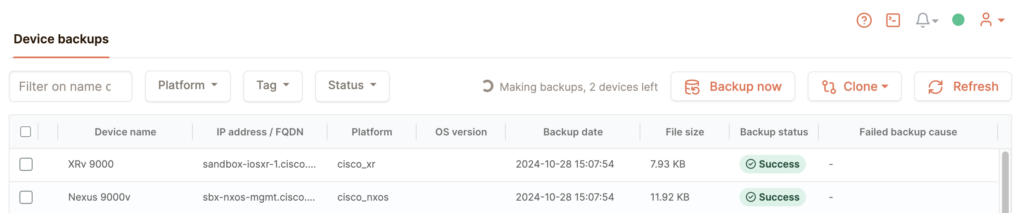
COMMAND BACKUPS
Capture Command Output
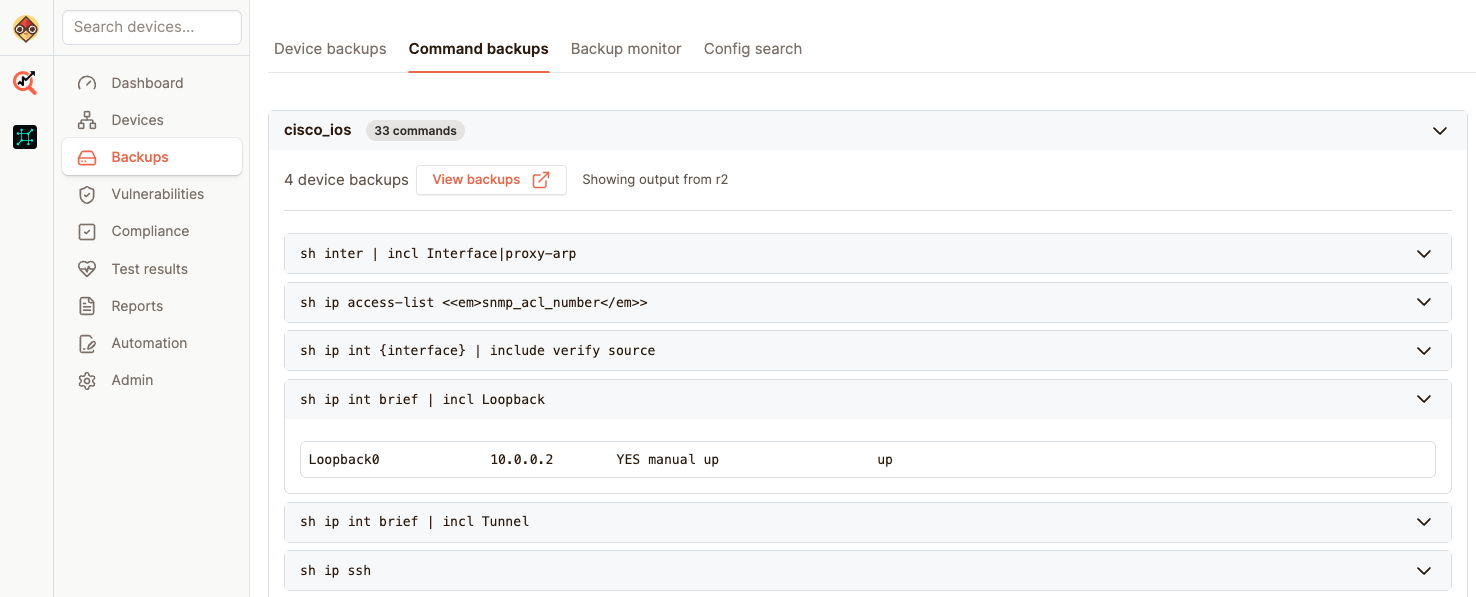
SEARCH & DIFFS
Search and Compare Configs

Back up unlimited devices for free
This is the entry point. Start with config backup and search, without buying into a full platform migration.
Run Netpicker locally. Back up your configs. Search them. Automate simple jobs. Then expand into testing, compliance, security, and remediation only where it adds value.
Perfect start for your network automation journey. Backup, search, and automate network devices from 180+ vendors.
Unlimited network devices
- Backup configs, diffs, and search
- Automation jobs with simple and Python jobs
- AI assistant to build jobs, rules, and analyse configs
Detect unauthorized changes immediately
Every backup is compared against the previous version automatically.
When a configuration changes outside an approved window, Netpicker detects the drift and can trigger alerts, incidents, or remediation workflows.
Backup triggered: syslog event detected
- ntp server 10.0.0.1
+ ntp server 192.168.1.50
⚠ Unauthorized change detected
Outside approved change window.
ServiceNow incident created. Slack notification sent.
Your configs stay yours
Every config is stored in Git with full version history, diffs, and audit trail.
Sync to GitHub, GitLab. Clone locally. Review changes in pull requests. Use VS Code or any IDE.
No proprietary storage. No vendor lock-in.
- Full Git history and readable diffs
- GitHub, GitLab sync
- Local clone support
- Pull request workflows
- Works with existing Git policies
Modern alternative to RANCID and Oxidized
RANCID and Oxidized solved scheduled backup automation years ago. Modern network teams need backup, drift detection, audit history, search, and validation in one workflow.
| Feature | RANCID / Oxidized | Netpicker |
|---|---|---|
| Config backups | Scheduled backup workflows | Scheduled and event-triggered backups |
| Git-backed configs | Basic history | Full history, diffs, and audit trail |
| Config drift detection | Limited | Continuous comparison and alerts |
| Global config search | Limited | Search across every backed-up config |
| Compliance validation | Not included | Built in |
| Remediation workflows | Not included | Available when you need it |
| Free version | Open source, self-managed | Free version with unlimited backups |
Built for real-world networks
Cisco, Juniper, Aruba, Fortinet, Palo Alto, Nokia, Ribbon, F5, Calix, Adtran, and 170+ more.
Built on Netmiko. Legacy Telnet-only devices supported. Overlapping IP ranges supported. Devices that break on SSH can be blacklisted automatically.
Network config backup FAQ
What is network config backup?
Network config backup is the automated process of collecting, storing, and versioning network device configurations. It helps teams recover from failed changes, audit configuration history, and detect unauthorized changes.
What is config drift in networking?
Config drift occurs when the actual configuration of a network device diverges from its intended or baseline configuration due to manual changes, failed deployments, or unauthorized modifications.
How do I automate network config backup?
Automated network config backup works by connecting to devices, collecting running configurations on a schedule or via syslog-triggered events, storing versions in Git, and alerting on changes or failures.
Does Netpicker support external Git repository sync?
Yes. Netpicker can automatically synchronize backups and configuration history to external Git repositories such as GitHub, GitLab, Azure DevOps, or internal self-hosted Git platforms. This allows teams to integrate network configurations into existing Git workflows, peer review processes, CI/CD pipelines, and long-term archival strategies.
Is Netpicker free for config backup?
Yes. Netpicker includes a free version with unlimited config backups. It is designed as a practical starting point before teams expand into testing, compliance, security automation, or remediation.
What is the best replacement for RANCID?
RANCID replacements include Netpicker, Oxidized, and commercial enterprise tools. Netpicker adds Git-based history, drift detection, global config search, compliance validation, and automation workflows on top of config backup.
Does network config backup work on legacy devices?
Yes. Netpicker supports legacy devices, Telnet-only connections, overlapping IP ranges, and multi-vendor environments through Netmiko and additional device-specific collection methods.
How does syslog-triggered backup work?
When a device logs a configuration change event via syslog, Netpicker can immediately trigger a backup of that device instead of waiting for the next scheduled backup window.
Start with free network config backup
Back up configs, search changes, detect drift, and build the foundation for testing and remediation. Free version. Unlimited backups. No sales call required.
Test. Validate. Fix.
Start with reliable backups. Expand into testing, compliance, security and remediation when it adds value.
Config Backup
Automated backups and version control for all devices.
Network Testing
Test configurations, policies and network behavior.
Compliance Automation
Continuously validate against standards and policies.
Security Automation
Find exposure, CVEs and misconfigurations before attackers do.
Network Remediation
Automate fixes with guardrails and verification.
AI Network Automation
AI-assisted workflows for faster analysis and actions.