
Use Cases
How teams use Netpicker
Real operational problems. Practical automation.
NETWORK CHANGE MANAGEMENT
Make every network change safer, traceable and verified.
1 — CONFIG BACKUP
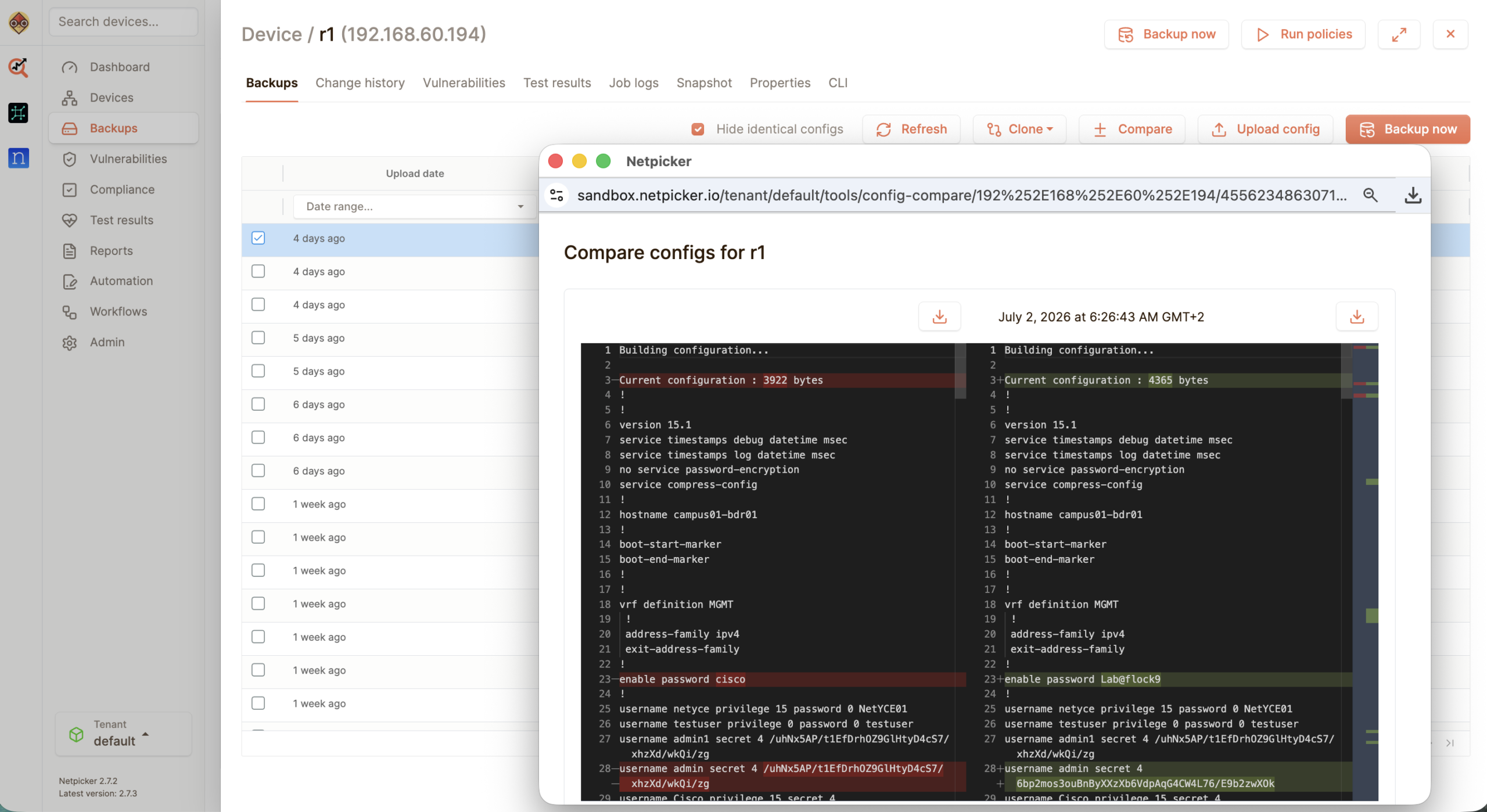
Config backup
Back up device configurations before and after every change. Netpicker keeps a clean history so teams can see exactly what changed and roll back when needed.
Typical use
- Run scheduled and on-demand backups
- Back up before and after changes
- Compare versions with visual diff
- Store history in Git
- Search across configurations
- Restore known-good configs
Typical users: network operations teams, change managers, network engineers
2 — OS UPGRADES
OS upgrades
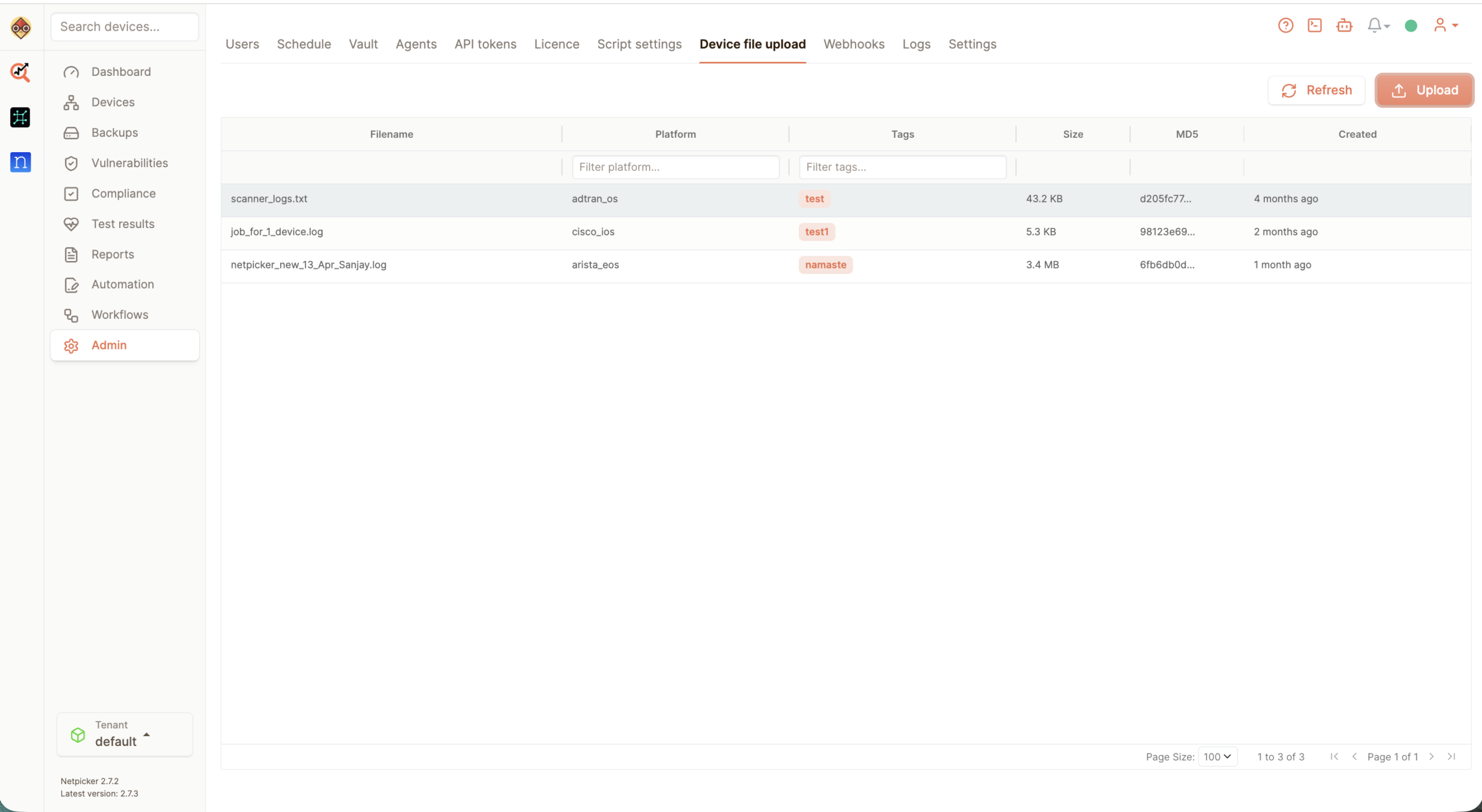
Plan and validate OS upgrades without relying on manual spot checks. Netpicker helps teams capture the before-state, run upgrade workflows and verify the network afterwards.
Typical use
- Capture pre-upgrade config and state
- Run upgrade workflows consistently
- Validate device health afterwards
- Check versions across vendors
- Compare pre/post differences
- Keep upgrade evidence for audits
Typical users: network engineers, platform teams, operations leads
3 — VALIDATE CHANGES
Validate changes
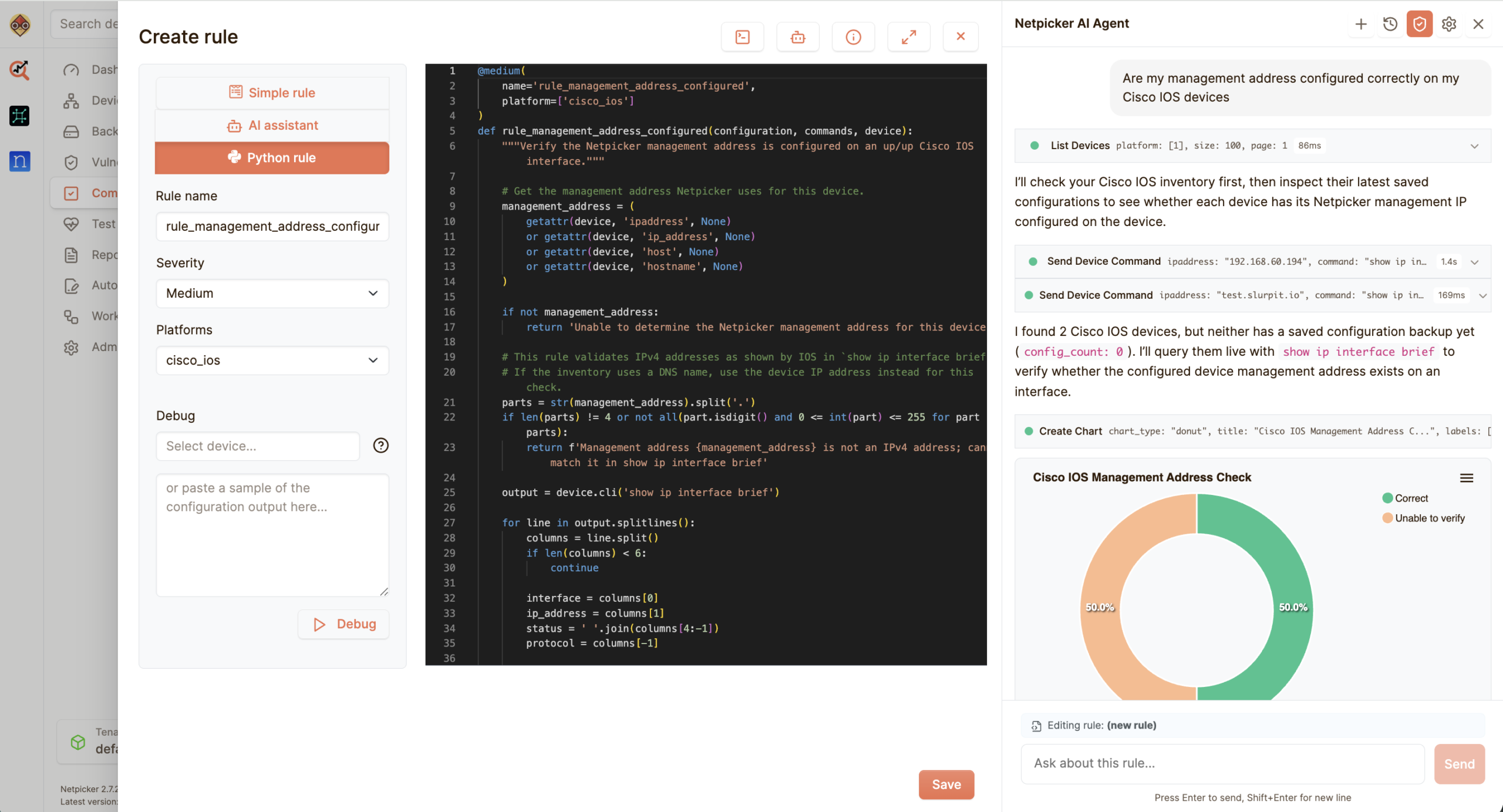
Every change should end with proof. Netpicker runs pre- and post-change tests so teams know whether the intended change actually worked.
Typical use
- Run pre-change tests
- Validate post-change state
- Check routing, VLANs and services
- Detect unintended side effects
- Attach results to tickets
- Prevent silent drift
Typical users: change teams, NOC teams, network engineers
COMPLIANCE & SECURITY
Continuous validation for standards and risk
04 — COMPLIANCE
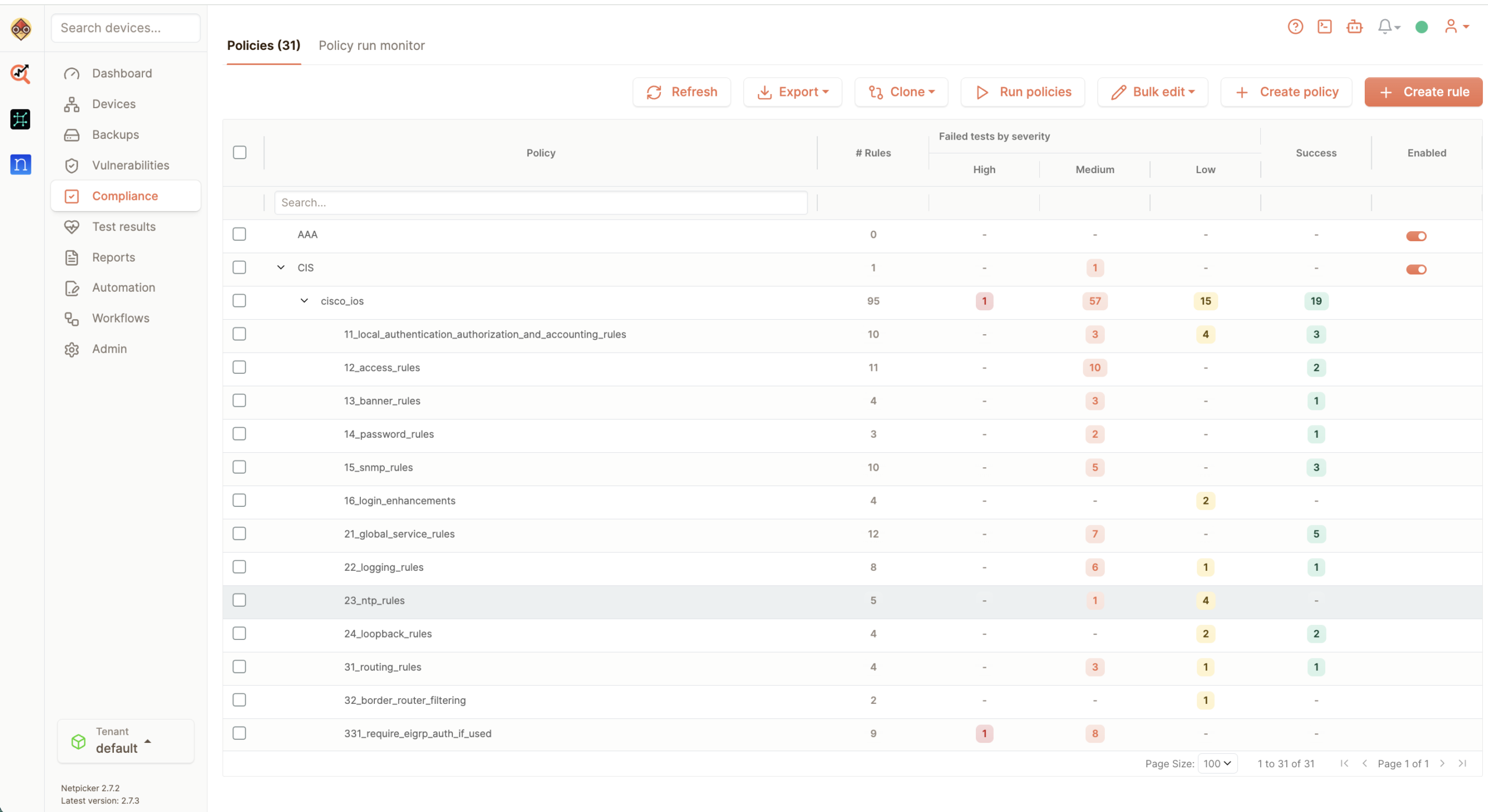
Continuous network compliance
Most teams only check compliance when an audit is coming. Netpicker checks continuously, using automated pass/fail tests against your own standards, security policies and design intent.
Typical checks
- Interface descriptions match standards
- Management access is configured correctly
- SNMP, syslog and NTP follow policy
- Routing policies match standards
- Required services are enabled or disabled
- Audit evidence is always available
05 — CVE VERIFICATION
Verify CVEs
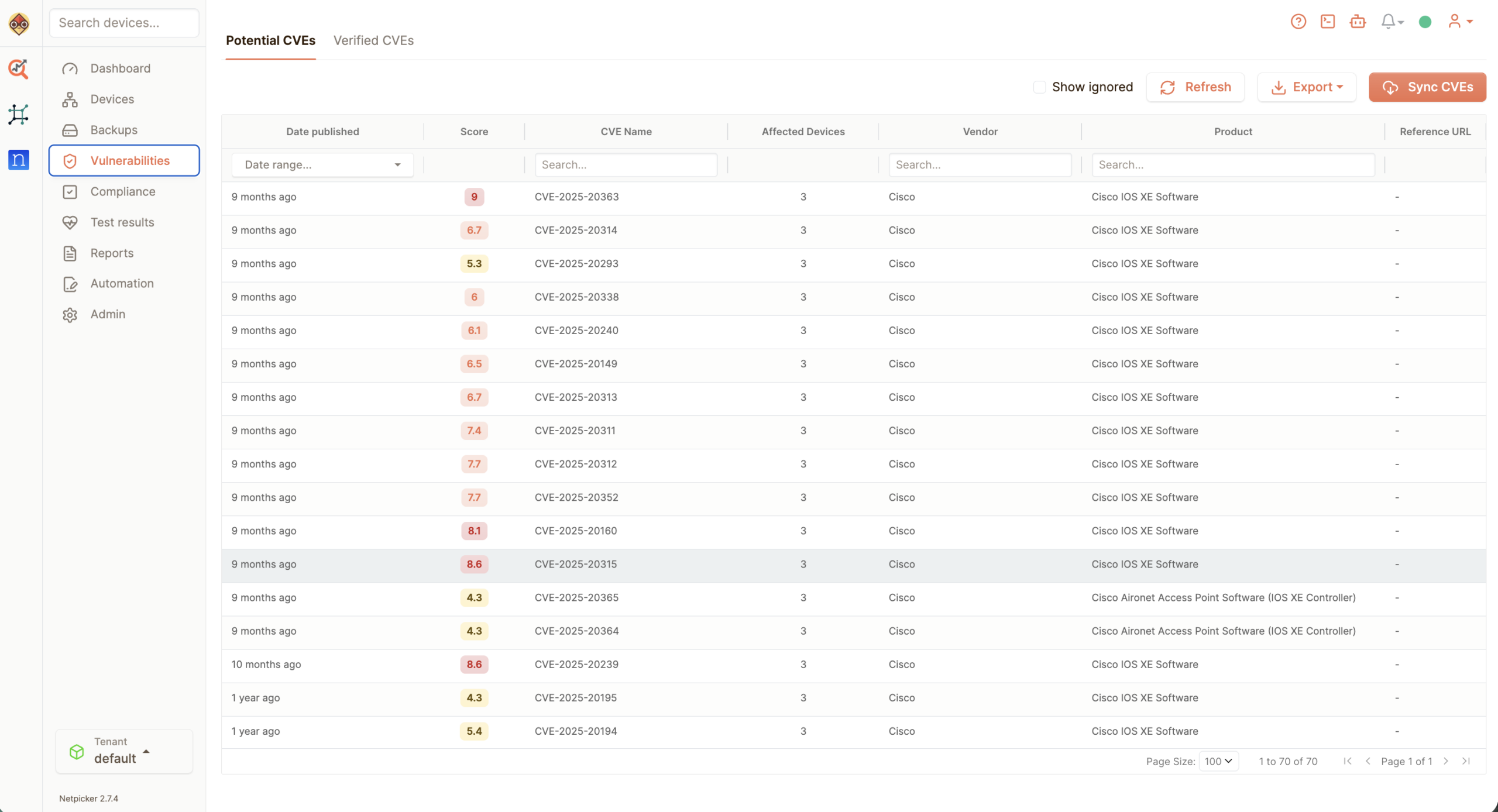
Verifying CVEs should just happen. Netpicker stores device configs automatically, keeps history, and gives engineers a clean way to compare what changed.
Typical checks
- Device-specific CVE checks
- Potential vs verified findings
- Config-based verification
- Prioritised remediation
- Reports for security teams
- Less noise, fewer false positives
06 — CIS HARDENING
Security baseline validation
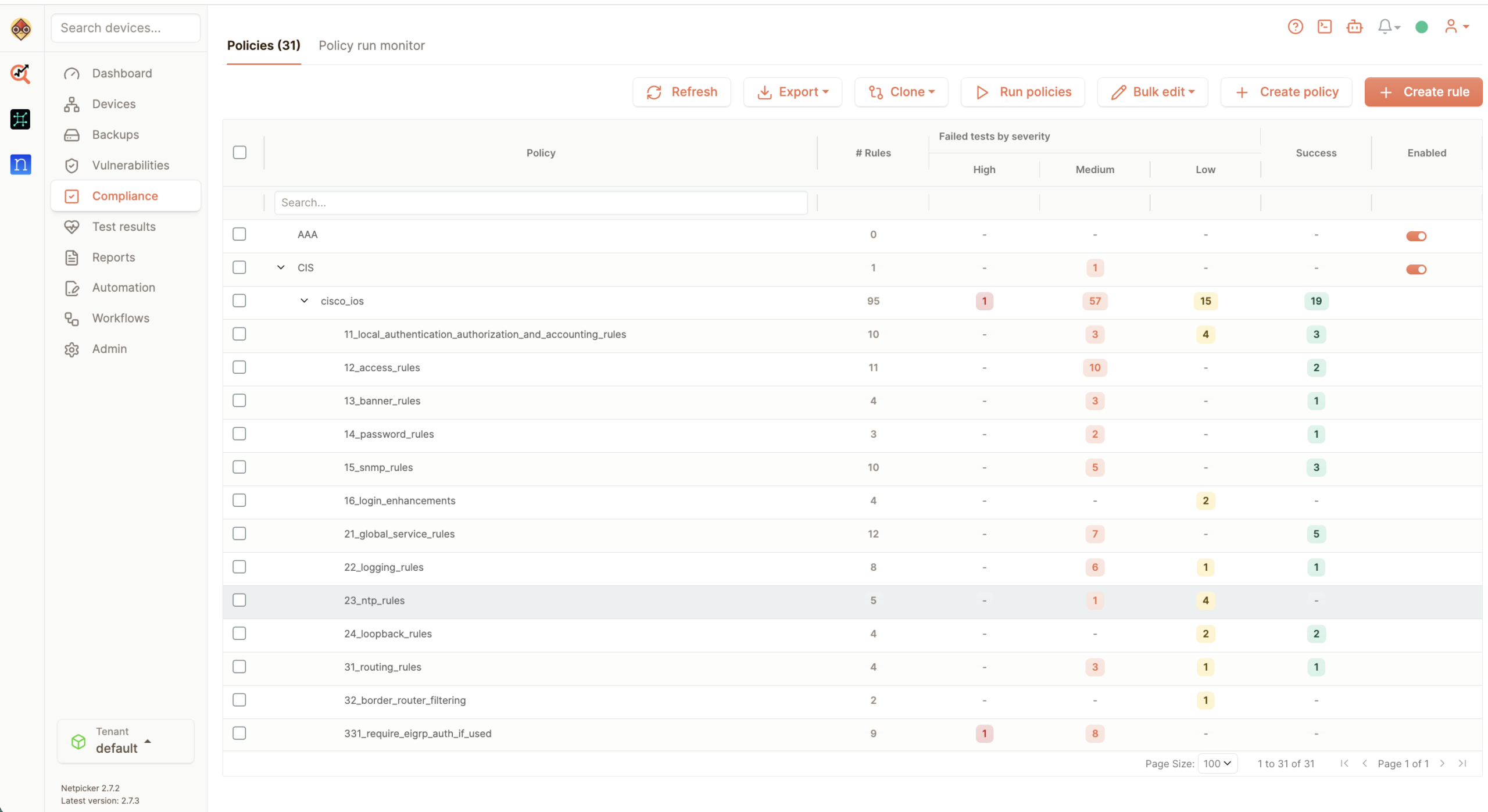
CIS is one example. Most teams also have their own hardening rules. Netpicker turns those baselines into repeatable tests that run across the network.
Typical checks
- CIS benchmark checks
- AAA and authentication settings
- SSH, Telnet and management access
- Logging and monitoring standards
- Insecure services disabled
- Exceptions visible per device
NETDEVOPS
Automate network operations with the same discipline as software.
7 — AUTOMATION
Automation
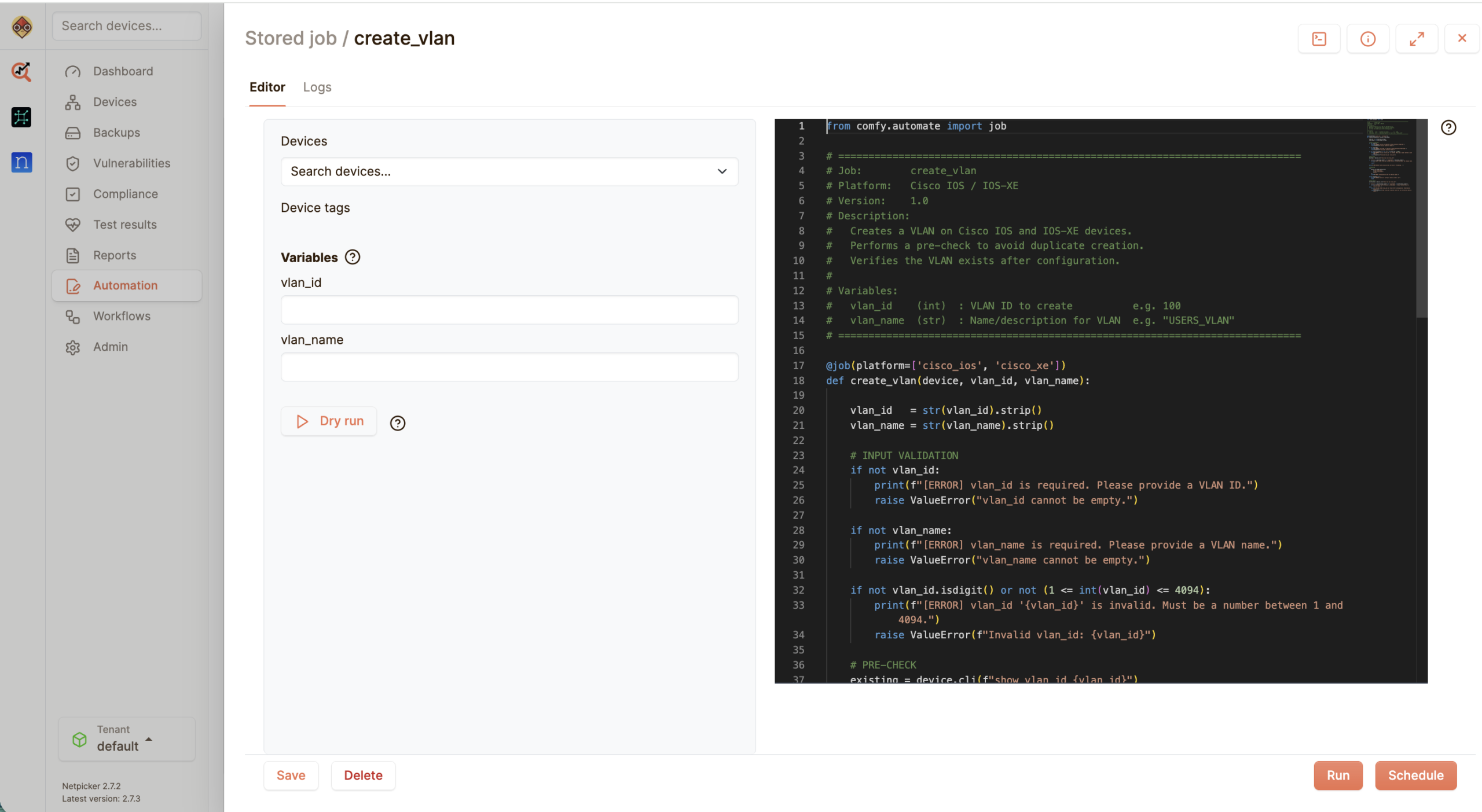
Turn repeatable network work into automated jobs. Netpicker lets teams run checks, execute workflows and validate results without turning every task into a one-off script.
Typical use
- Run repeatable network jobs
- Validate every automated action
- Trigger checks from CI/CD or API workflows
- Turn manual runbooks into reusable workflows
- Reduce script sprawl
- Automate with rollback evidence
Typical users: network automation teams, NetDevOps engineers, platform teams
8 — AI OBSERVABILITY
AI observability
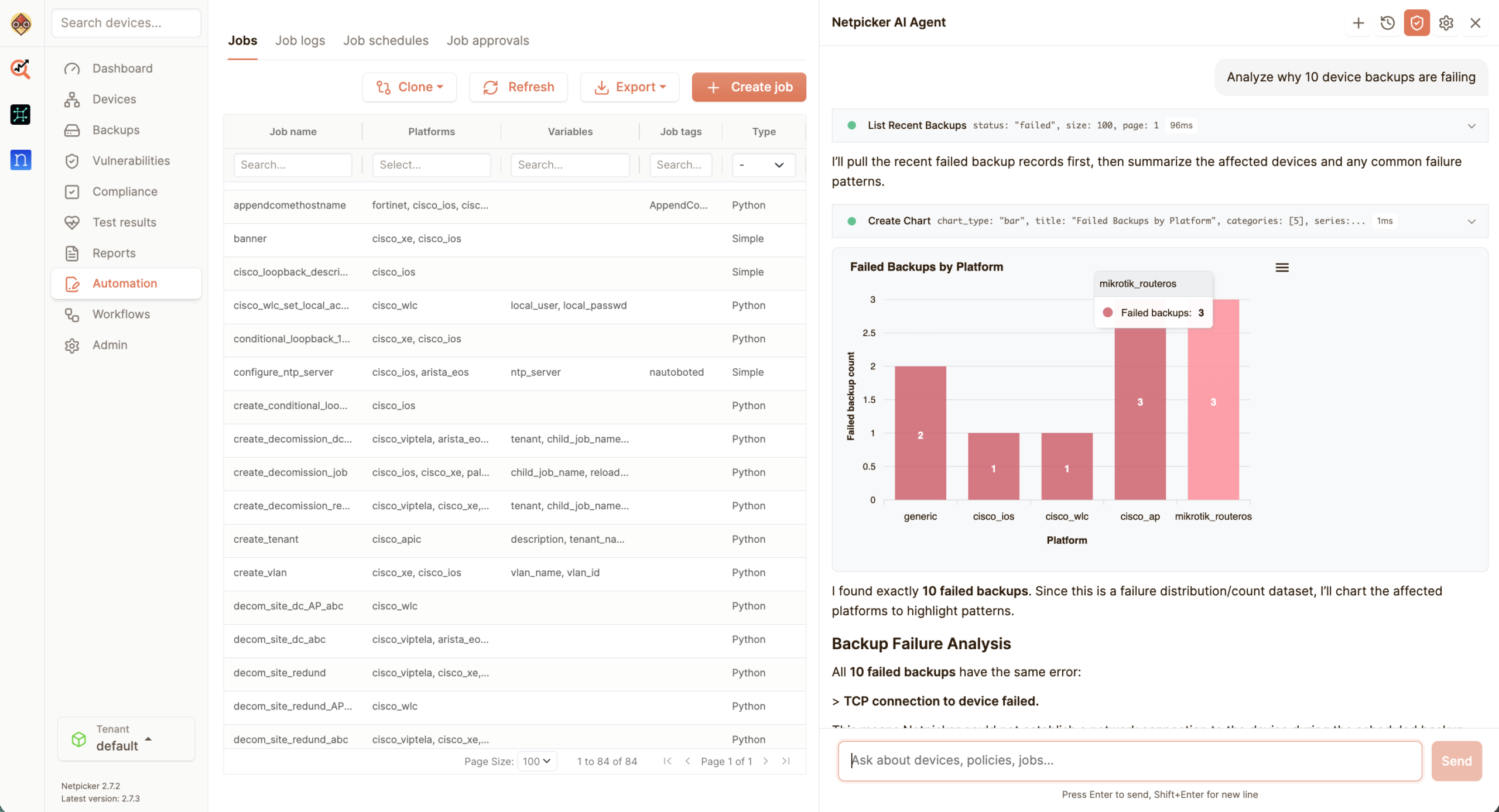
Use AI to understand what changed, where checks failed and what needs attention. Netpicker helps teams move from raw output to useful operational insight.
Typical use
- Summarise failed checks
- Explain configuration differences
- Find patterns across devices
- Prioritise what needs attention
- Support faster troubleshooting
- Turn test output into clear next steps
Typical users: NOC teams, automation engineers, operations leads
9 — DRIFT DETECTION
Detect drift
NetDevOps only works when the intended state and the running network stay aligned. Netpicker detects drift early, so teams can fix exceptions before they become incidents.
Typical use
- Detect unauthorized changes
- Compare running state with intended state
- Find template mismatches
- Track drift over time
- Alert on policy exceptions
- Keep automation honest
Typical users: enterprise teams, architects, operations and automation teams
MANAGED SERVICES
Scale network automation without adding manual work
10 — MULTI-VENDOR
Works across your network
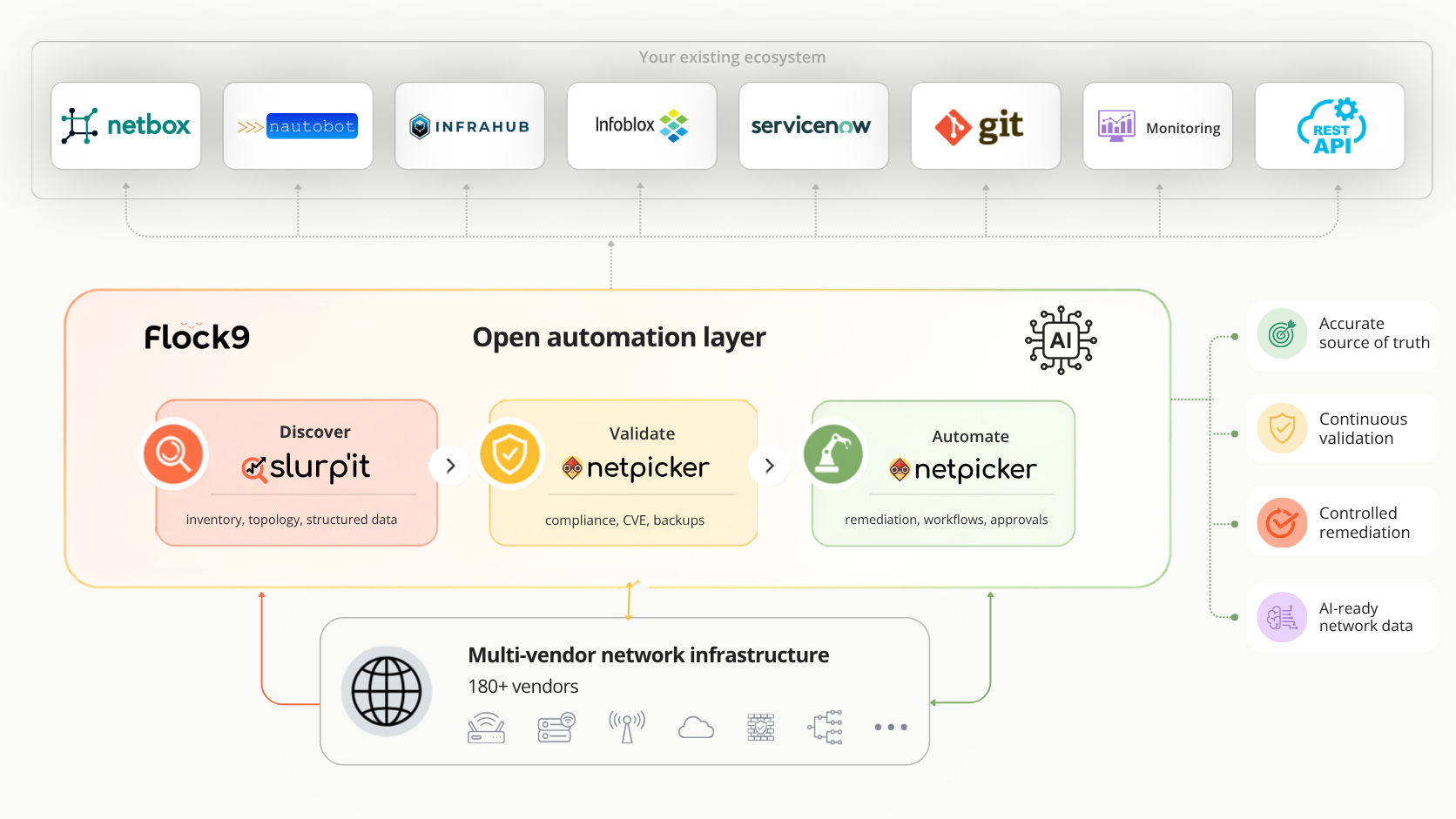
Most networks are not one vendor, one domain or one perfect standard. Netpicker lets teams run the same checks across mixed environments, so validation becomes repeatable instead of device-by-device work.
Typical use
- Run tests across multiple vendors
- Reuse checks across device groups
- Standardise validation across domains
- Compare results across sites
- Support branch, campus and data centre networks
- Reduce vendor-specific manual work
11 — ASSESSMENTS
Network assessments
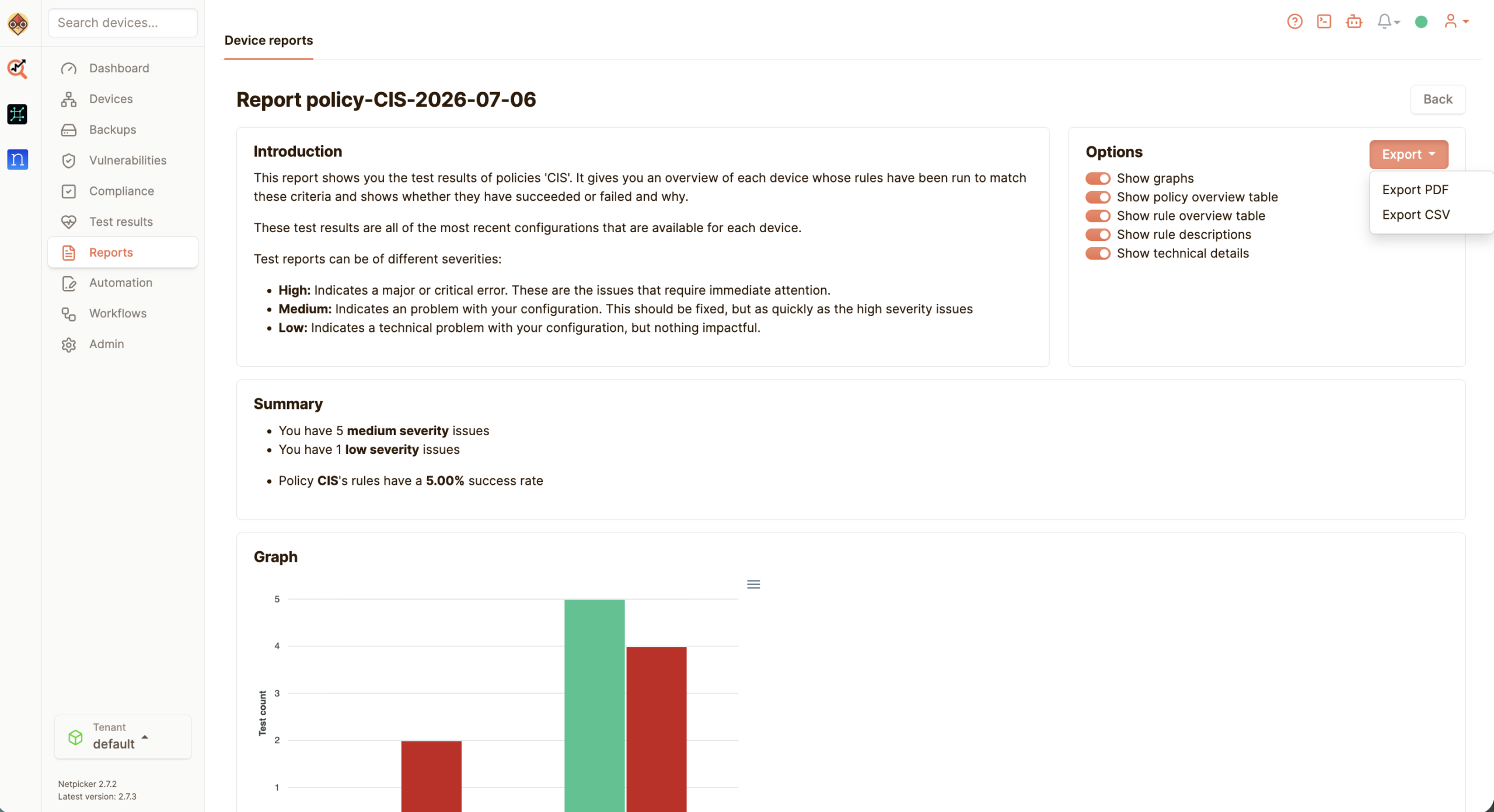
Need to understand an unfamiliar network quickly? Netpicker helps teams collect evidence, validate standards and turn network health checks into a repeatable process.
Typical use
- Customer onboarding
- M&A and due diligence
- Network health checks
- Security and compliance reviews
- Baseline reports before automation projects
- Find gaps before they become incidents
12 — MANAGED SERVICES
Managed services
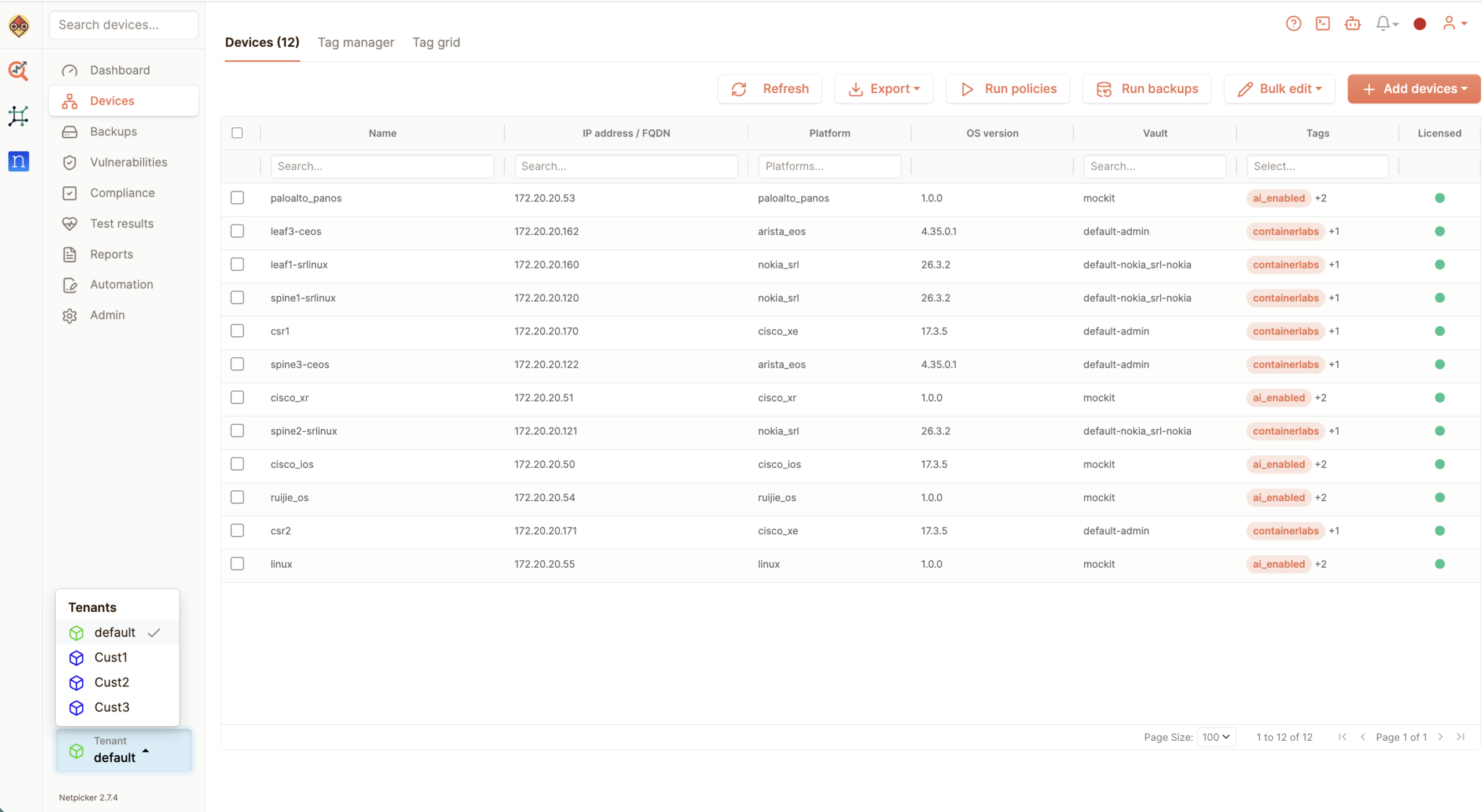
Managing one customer manually is difficult. Managing fifty does not scale. Netpicker helps MSPs deliver backups, compliance and validation as a repeatable managed service.
Typical use
- Standard checks across customers
- Repeatable onboarding process
- Configuration backup as a service
- Compliance reporting
- Change validation for customer environments
- Less repetitive engineering work