
Using the Netpicker AI assistant with Google Gemini

Create a Gemini API key on https://aistudio.google.com/

Go to ‘Get API key’
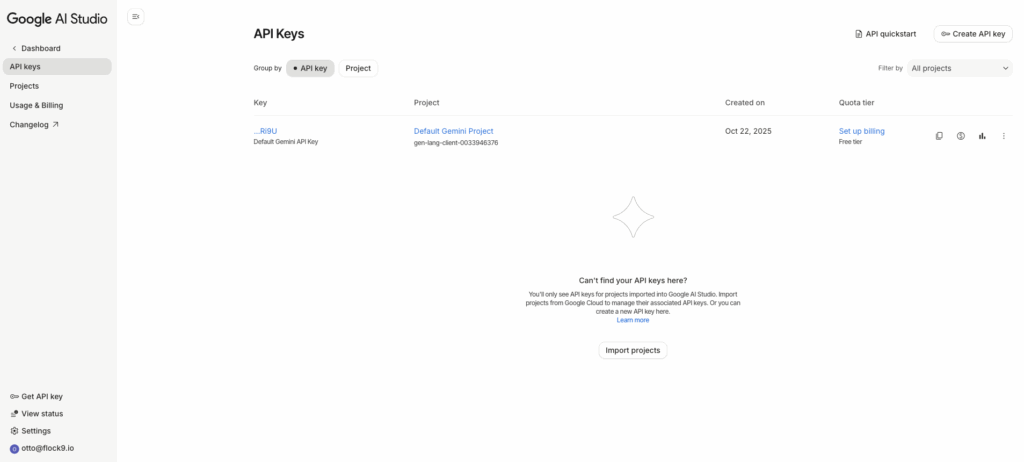
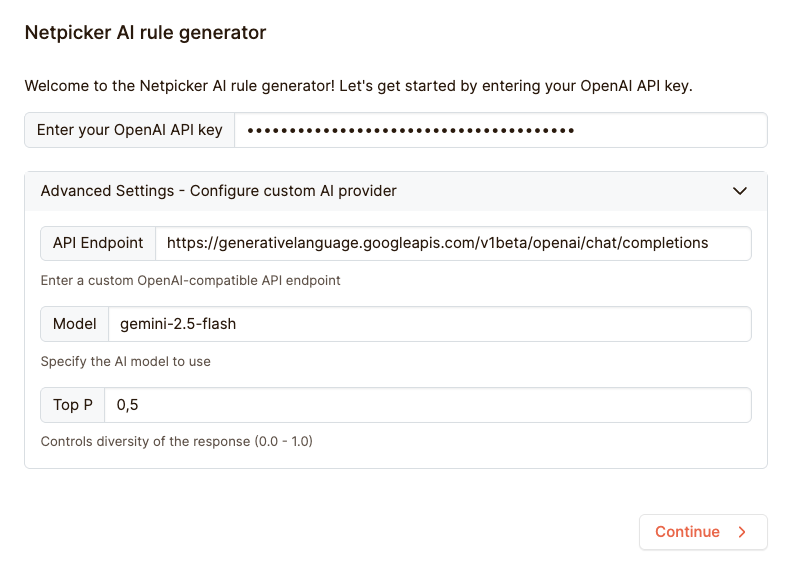
Copy your API key and enter the API details in the Netpicker AI assistant:

API Endpoint: https://generativelanguage.googleapis.com/v1beta/openai/chat/completions

Model: gemini-2.5-flash

Refer to https://ai.google.dev/gemini-api/docs/openai for details
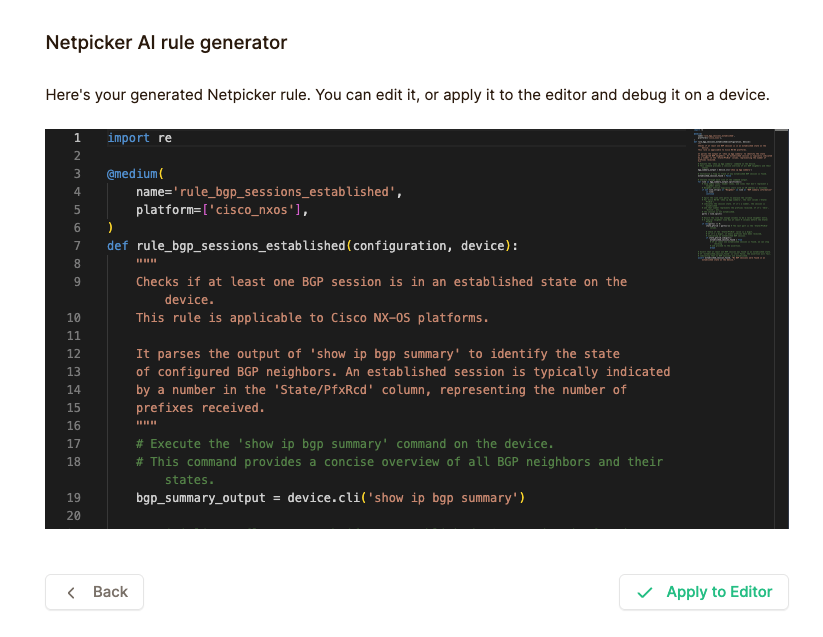
Enter your use case and your rule will be generated:
Would you like a hands-on session?

A couple times a week our in-house trainer is available for a private or group session. In this session we can cover our Slurp’it or Mock’it solution but also integrations with Netpicker, NetBox, Nautobot & Infrahub.

Yes, keep me informed

Connect with us on LinkedIn to stay updated on the latest happenings, news, and exciting developments at Slurp’it. Just click the button below to follow us and be a part of our professional network.

Newsletter